
01 / RGB imagery
Document visible condition.
Capture the joints, surfaces and components your engineers need to review. Connect each usable image to the asset location and record obscured areas in the coverage record.
Inspection & asset condition
Inspect chimneys, towers, silos, bridges and process structures with drone-captured RGB imagery, thermal observations and geometry where needed. Give the asset team a located finding register and the evidence behind each observation.
 Locate the evidence
A view becomes useful when its location and supporting detail stay connected. This is an illustrative observation marker.
A closer look / Motion overview
See how a visible observation becomes a located record that an asset team can review.
01 / Observe
Plan the visual coverage around the asset, access and inspection question. Keep the capture conditions clear.
Choose a chapter, or play the sequence.
Illustrative photographic scene and authored overlays. No recorded footage or measured project data is shown.
Film will be added when approved footage is ready.Plan the visual coverage around the asset, access and inspection question. Keep the capture conditions clear.
Visual coverageAssociate visible findings with an asset location and the supporting view, so the next reviewer can follow the evidence.
Located observationAssemble a readable record for the authorised asset team. Visual observations do not replace an engineering diagnosis.
Inspection recordThe engineering question comes first
Chimneys, cooling towers, bridges, dams, silos and process structures each call for a different inspection scope.
01 / RGB imagery
Capture the joints, surfaces and components your engineers need to review. Connect each usable image to the asset location and record obscured areas in the coverage record.
02 / Thermal, where suitable
Add radiometric thermal capture for a defined inspection question, such as temperature variation or a suspected hot spot. Record operating conditions and the interpretation basis.
03 / Geometry, where needed
Use a textured model or point cloud to locate findings and support the agreed geometric assessment. Confirm the detail and measurement checks the application requires.
Interactive inspection record
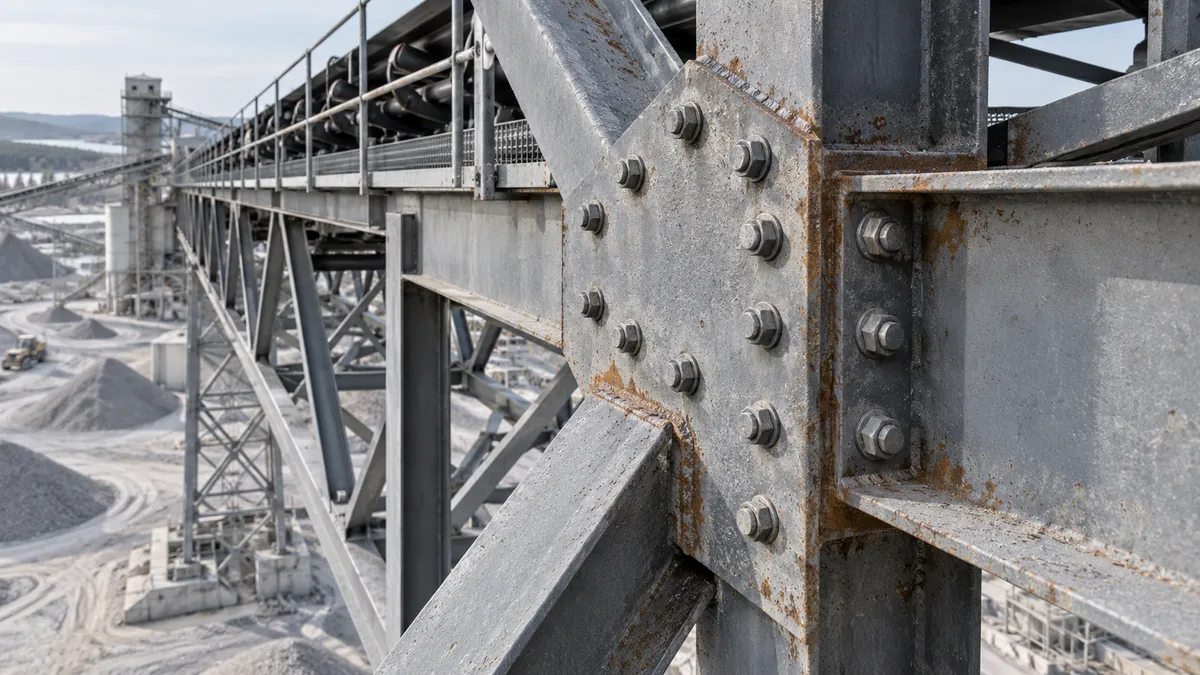
Select a numbered area on the illustrated steel connection. Keep each observation tied to its view, location and the question for the engineering review.
Illustrative observation register
Finding 01Record visible weathering and surface variation without assigning a defect severity from appearance alone. Keep the location and supporting view with the observation.
No defect severity, dimensions or structural safety conclusion is implied.
The handover
01 / Located observations
An observation register with asset location, image references, review status and agreed classification. Specialist severity assessment is included only where explicitly scoped.
02 / Engineering review
An engineering-facing PDF with an overview, coverage, methods, findings and supporting imagery. Include limitations and any specialist recommendations commissioned with the work.
03 / Supporting evidence
The agreed RGB photographs, thermal records and model or point-cloud files, organised for retrieval. A repeat-inspection baseline preserves locations and capture conditions for the next visit.
How the work comes together
01 / Plan
Identify the asset, suspected issues, operating conditions, required coverage and personnel who will review the findings.
02 / Capture
Coordinate access, operating windows and safe flight plans. Record inaccessible or obscured areas rather than implying complete coverage.
03 / Review
Review evidence with the appropriate specialist and hand over the findings, limitations and agreed next checks.
Practical questions
It can improve access to visual and spatial evidence. Whether additional testing, close access or structural analysis is needed depends on the asset and engineering question.
Sometimes, but not universally. Heat, emissions, movement, access and operating constraints determine the safe window. An outage-free inspection should never be assumed before the site review.
No capture method guarantees complete coverage. Occluded areas, confined geometry and access limitations must be identified in the coverage record and report.
A repeatable acquisition approach and suitable baseline make comparison more useful. Agree reference conditions, image detail, locations and reporting between visits.
Start with the decision
Share its location, type, operating conditions and the issue you want to understand.